Mae Moreno

Boost Conversions: Email + SMS Review Request Templates

Want to boost your business’s reputation and enhance your customer engagement without breaking a sweat? Customer reviews and feedback request strategies are gold in digital marketing, and the right approach can make all the difference. This guide dives into the art of crafting email templates and SMS templates for review requests that not only get opened but also drive conversions and improve customer satisfaction. Get ready to discover essential elements, message personalization techniques, and ready-to-use templates for reviews that suit any business type. Let’s unlock the secrets to turning feedback into a powerful marketing tool!

Importance of Customer Reviews and User-Generated Content
Importance of Customer Reviews and User-Generated Content

Customer reviews and user-generated content play a crucial role as social proof, with 70% of individuals placing the same level of trust in reviews as they do in personal recommendations, which ultimately fosters brand loyalty and enhances brand reputation.

Brands such as Amazon and Zocdoc have notably enhanced their reputations by accumulating positive customer feedback. Research from BrightLocal indicates that 87% of consumers consult online reviews when considering local businesses, underscoring the importance of actively managing feedback.

To utilize reviews effectively, businesses should consider the following strategies:

  • Encourage satisfied customers to leave reviews on platforms like Google and Yelp as part of your online reviews strategy.
  • Respond promptly to any negative comments to demonstrate attentiveness.
  • Showcase positive testimonials prominently on their websites.

Employing tools like Trustpilot can simplify this process for brands, enabling them to gather insights and continuously improve their customer experience, which is a crucial aspect of reputation management.

Overview of Email and SMS Channels

Email marketing and SMS marketing channels each possess distinct advantages in customer outreach. Email typically has an average open rate of 20%, while SMS boasts an impressive 98% open rate, making both effective tools for soliciting reviews.

However, despite SMS having a higher open rate, email campaigns often achieve better conversion rates, averaging around 3%, in contrast to SMS’s 1.5%. For example, a restaurant that followed up with patrons via email after a meal experienced a remarkable 25% response rate for reviews, whereas a retail brand’s SMS campaign achieved a 15% engagement when requesting feedback.

By combining both methods, one can maximize outreach. A successful strategy might involve sending an email first, followed by an SMS reminder, effectively leveraging the strengths of each channel to enhance overall engagement.

Crafting Effective Review Request Templates

Creating effective review request templates can greatly improve response rates and conversion optimization, as optimized templates have been shown to enhance engagement by as much as 30%.

Key Elements of a Successful Template for Review Generation

Successful review request templates should incorporate essential elements such as a clear call to action, personalized messaging, and a straightforward user journey. These components can collectively enhance response rates by as much as 25%.

Plus these foundational elements, it is beneficial to enhance visual appeal by integrating engaging graphics, which can be easily created using tools like Canva. It is also important to ensure that your templates are mobile responsive, as a significant number of users access their emails on their phones.

To further improve personalization, consider including the customer’s name and details about their past purchases. For example, rather than using a generic greeting, you might say, “Hi John, we hope you loved your recent purchase!”

This tailored approach, combined with a concise message encouraging customers to leave a review, simplifies the process for them and increases the likelihood of engagement.

Personalization Techniques

Incorporating personalization techniques, such as dynamic content and segmentation, can enhance the effectiveness of review requests and customer communications by as much as 50%. To effectively personalize these requests, it is essential to utilize customer data to tailor messages. For instance, addressing customers by their names and referencing their recent purchases can help establish a meaningful connection.

Segmenting your audience based on behaviors or demographics is another effective strategy. Utilizing tools like Mailchimp can automate targeted email campaigns, allowing for a more focused approach. Companies like Amazon have successfully implemented this by sending follow-up emails to customers shortly after a purchase, inviting them to share their feedback.

Additionally, conducting A/B testing on different message variations can further refine your approach, leading to improved engagement rates and response optimization with each iteration.

Email Review Request Templates
Email Review Request Templates

Email automation for review request templates should be customized for various scenarios to enhance post-purchase engagement and assess service satisfaction and client feedback effectively.

Template for Post-Purchase Follow-Up

A post-purchase follow-up email template can effectively combine a thank you message with a direct link for customers to leave a review, thereby increasing the chances of their participation.

Start with a warm message, such as, “Thank you for choosing us! Your support means the world.” This sets a positive tone right from the beginning. Following that, gently encourage feedback by saying, “We’d love to hear your thoughts! Please consider leaving a review on [Google/Yelp],” and include a clickable link for convenience.

To convey your appreciation, you might add a note like, “Your feedback helps us improve and serve you better and is essential in our feedback loop.” Conclude the email with a personal touch, such as, “Looking forward to serving you again!” This approach not only fosters a positive relationship with customers but also actively seeks valuable insights to enhance your service.

Template for Service-Based Businesses and Service Reviews

For service-based businesses, a review request template should effectively highlight the service experience while requesting feedback that emphasizes customer satisfaction and service reviews.

Start your template with a polite thank-you note acknowledging their recent business. Clearly communicate that their feedback is invaluable. For instance, you might say, “We would love to hear your thoughts on the [specific service provided].”

It is also helpful to provide a direct link to the review platform, such as Google or Yelp, to streamline the process for your customers. Additionally, consider offering a small incentive, like a 10% discount on their next service, to encourage their participation.

Taking these steps can significantly increase the chances of receiving detailed and constructive reviews, which can ultimately benefit your business.

SMS Review Request Templates

SMS review request templates should be concise and impactful, considering that text messages are usually read within minutes of being received, making them a powerful tool in mobile marketing.

It’s important to make every word count to capture attention effectively.

Short and Sweet SMS Templates for Text Messaging Campaigns

An effective SMS review request might be phrased as follows: “Hello [Name], thank you for choosing [Service/Product]! Could you take a moment to leave us a review? [Link] Your feedback is incredibly valuable to us!”

To enhance engagement, it is advisable to tailor your message based on the context. For instance, after a purchase, you could say, “We hope you are enjoying your new [Product]! We would greatly appreciate your thoughts. [Link]”

If you are reaching out after a service has been provided, you might consider saying, “Thank you for using [Service]! Was everything to your satisfaction? We are eager to hear your feedback! [Link]”

Always remember to include a direct link for convenience, as this significantly increases the likelihood of receiving reviews.

Timing and Frequency Considerations

Timing and Frequency Considerations

Timing your SMS review requests can be crucial; studies indicate that messages sent within 24 hours of service completion achieve a 25% higher response rate and improve customer touchpoints. To enhance effectiveness, it is advisable to avoid sending requests during peak hours, such as early mornings or late evenings, when individuals are less likely to engage.

Employing analytics tools, such as Google Analytics, can be beneficial in monitoring which times yield the highest open and response rates. Additionally, it is wise to limit yourself to one SMS request per customer per service to prevent overwhelming them.

Over time, by analyzing your data, you can refine your timing strategy for optimal results, ultimately enhancing customer engagement and feedback.

Best Practices for Sending Review Requests

Implementing best practices for sending review requests can greatly enhance response rates and customer requests, with some industries experiencing increases of up to 40%.

Timing Your Requests

Strategically timing your review requests can greatly enhance customer engagement. Research indicates that requests sent on Wednesday afternoons tend to achieve the highest response rates.

To further improve this strategy, consider implementing the following actionable steps:

  1. Analyze your customer data to determine when they are most likely to engage with your communications. Tools like Google Analytics can offer valuable insights into peak engagement times.
  2. Conduct A/B tests to fine-tune your timing by sending requests at various times to identify which produces the best results.
  3. Utilize scheduling tools such as HubSpot or Mailchimp to automate this process, ensuring that your requests consistently arrive at optimal times.

By following these steps, you can significantly boost your response rates.

Tracking and Measuring Success and Engagement Metrics

Tracking and measuring the success of review requests involves monitoring various engagement metrics, such as open rates-aim for around 20% for emails-and click-through rates, which should ideally exceed 5%.

To effectively assess your review requests, it is beneficial to begin with Google Analytics for performance metrics analysis. By focusing on the traffic to your review submission pages, you can gain insights into where your respondents are originating from, enhancing your customer insights.

Utilizing email marketing tools like Mailchimp can also be advantageous, as they help track open and click rates, providing valuable information about recipient engagement. Additionally, implementing brief surveys after the review process can yield qualitative feedback.

This combination of quantitative and qualitative data will enable you to refine your marketing strategies and enhance the effectiveness of future review request campaigns to improve customer relationship management.

Frequently Asked Questions

What are Email + SMS review request templates and text reminders?

What are Email + SMS review request templates and text reminders?

Email + SMS review request templates are pre-written messages that can be used to ask customers for their feedback or reviews through email and text messages. These templates are designed to be easy to use and can be copied and pasted directly into your email or SMS platform.

Why should I use Email + SMS review request templates for mobile communication?

Using Email + SMS review request templates can save you time and effort when it comes to asking for reviews from your customers. These templates are already optimized to convert and can help you increase your review collection rate.

How do I use Email + SMS review request templates for effective communication?

To use Email + SMS review request templates, simply copy and paste the pre-written message into your email or SMS platform. Make sure to personalize the template to fit your brand and include a direct link to your review page or platform.

Can I customize the Email + SMS review request templates for targeted messaging?

Yes, you can customize the templates to fit your brand and tone. However, it is recommended to keep the main message and call to action in the template as they are designed to convert and increase your review collection rate.

Do Email + SMS review request templates really convert for review acquisition?

Yes, Email + SMS review request templates are optimized to convert and can significantly increase your review collection rate. These templates have been tested and proven to be effective in getting customers to leave their reviews.

Are there any best practices when using Email + SMS review request templates for consumer reviews?

Yes, to ensure the best results when using Email + SMS review request templates, crucial for consumer reviews, it is recommended to personalize the templates, include a direct link to your review page or platform, and send the request within a timely manner after a customer’s experience with your product or service, enhancing online reputation management.


Yelp Review Requests: What’s Allowed, What’s Not & Effective Tips

Looking to boost your business’s visibility on Yelp? Navigating the maze of review requests can be tricky-what’s allowed, what’s not, and how can you actually get those glowing reviews while maintaining your business’s reputation management? It’s essential to understand Yelp’s guidelines and discover effective strategies that resonate with customers, boosting your online presence and consumer trust. From timing and personalization to crafting the perfect message, we’ll explore the do’s and don’ts that can make or break your review requests. Ready to unlock the secrets of successful Yelp reviews? Let’s dive in!

Understanding Yelp’s Review Policies for Reputation Management

Understanding Yelp's Review Policies for Reputation Management

Grasping Yelp’s review policies is essential for business owners to enhance their business credibility and audience reach. By understanding these guidelines, they can navigate the platform effectively while ensuring compliance and enhancing customer engagement.

What is Allowed

Yelp provides businesses with the opportunity to request reviews as part of their customer engagement strategy, promoting practices that encourage authentic feedback and ethical practices. To effectively leverage this feature, consider the following specific practices:

  1. First, ask for reviews during in-person interactions or follow-up calls to create a personal touch. For example, after successfully resolving a customer’s issue, you might say, “We would greatly appreciate it if you could share your experience on Yelp!”
  2. Second, include direct links to your Yelp page in your email communications. It is important to request feedback politely and refrain from offering incentives.

Additionally, fostering an environment that encourages customers to share their experiences on social media can help expand your reach. By implementing these approaches, you can enhance customer engagement and cultivate genuine reviews.

What is Not Allowed

It is essential for businesses to familiarize themselves with Yelp’s policies regarding review solicitation to avoid penalties and protect their reputation.

Yelp has strict prohibitions against certain practices that could jeopardize your account and disrupt your digital reputation. For instance, offering incentives for reviews, such as discounts or freebies, can distort genuine feedback and is not allowed.

Businesses should refrain from requesting only positive reviews or creating fake accounts to inflate their ratings. Engaging in such practices can result in serious consequences, including account suspensions and removal from search results, which can significantly affect your visibility.

To cultivate organic reviews, it is advisable to encourage satisfied customers to share their experiences, ensuring that this is done in accordance with Yelp’s guidelines and maintaining transparency.

Best Practices for Requesting Reviews and Enhancing Customer Engagement

Implementing best practices for requesting reviews can greatly enhance both the quality and quantity of customer feedback received on Yelp.

When done thoughtfully, this approach can lead to more meaningful insights and a better overall representation of customer experiences.

Timing and Context

Timing and Context

Selecting the appropriate timing for requesting reviews can significantly impact the likelihood of garnering positive feedback from customers. To enhance your review requests, consider implementing the following strategies:

  1. First, ask for reviews immediately after a purchase, as customers are often feeling quite enthusiastic at that moment.
  2. Next, follow up after service or support interactions to capture insights related to customer satisfaction.
  3. Additionally, consider timing your requests around seasonal promotions-this can evoke positive feelings associated with the value of your service during special occasions.

Employing tools such as Mailchimp can assist in automating these follow-ups, ensuring that communication remains consistent without overwhelming your customers, thus aiding in customer retention. This approach ultimately increases the chances of receiving valuable feedback.

Personalization Techniques for Enhanced User Experience

Personalizing review requests can enhance response rates by as much as 30%, creating a sense of connection and value for customers, and improving customer loyalty. To effectively personalize these requests, it is important to include specific details about the customer’s experience.

For example, addressing the customer by name in the greeting and mentioning the product or service they purchased can go a long way. A simple phrase like, “Hi John, we hope you’re enjoying your new gardening tools!” can make the request feel more tailored and sincere.

Additionally, expressing gratitude can significantly impact the response you receive. A statement such as, “Thank you for being a valued customer; your feedback means a lot to us!” can foster goodwill.

These subtle adjustments can lead to more engaged responses and encourage reviews, ultimately enhancing your business’s credibility.

Effective Communication Strategies

Developing effective communication strategies is essential for maximizing the impact of review requests and ensuring that customers are more engaged.

Crafting the Perfect Message

A well-crafted review request message can greatly improve customer response rates, with studies indicating that concise messages can boost engagement by up to 25%.

To compose an effective request, it is advisable to begin with a personal touch by addressing your customer by name. It is important to keep the message brief; a simple structure might look like this:

“Hi [Name], we hope you enjoyed your experience! We would greatly appreciate your feedback-could you take a moment to leave us a review? It truly helps us out! [Link to review page]”

This approach feels genuine and encourages interaction. It may also be beneficial to test different phrasings to determine which resonates best with your audience, as personalization plays a crucial role in enhancing response rates.

Common Mistakes to Avoid

Common Mistakes to Avoid

Avoiding common mistakes when requesting reviews is essential for maintaining your business’s Yelp ratings and shaping overall customer perception. To effectively solicit reviews, consider steering clear of the following pitfalls:

  1. First, refrain from making overly aggressive requests; such tactics can alienate customers and result in negative feedback.
  2. Second, pay attention to criticism; ignoring negative responses can erode trust and damage your reputation.
  3. It’s also important to follow up with customers to demonstrate that you value their input-failing to do so may lead to lower review volumes and missed opportunities for customer advocacy.

By establishing a considerate and engaged approach, you can significantly enhance your business’s online image and encourage more authentic feedback.

Analyzing Successful Review Requests for Actionable Insights

Analyzing successful review requests uncovers important strategies that can greatly boost engagement and enhance a business’s overall reputation.

Case Studies

Examining case studies of businesses that have successfully solicited reviews reveals valuable insights into effective strategies and practices.

For example, a local caf managed to increase its online reviews by 40% through the implementation of a personalized request strategy. After each purchase, they sent a thank-you email containing a direct link to their review page, which resulted in a notable increase in customer engagement.

In a similar vein, a service-based business experienced a 25% improvement in ratings after they began sending follow-up text messages to clients. These messages checked in after services were rendered and invited feedback.

Both of these examples underscore the importance of timely and personalized communication in enhancing review generation, ultimately leading to measurable improvements in customer perception.

Frequently Asked Questions

What is a Yelp review request?

What is a Yelp review request?

A Yelp review request is when a business or individual asks customers to leave a review on their Yelp page. This can be done in various ways, such as through email, social media, or in person.

Is it allowed to request Yelp reviews?

Yes, it is allowed to request Yelp reviews as long as it is done in a respectful and non-coercive manner. Yelp’s Content Guidelines prohibit businesses from offering incentives for reviews or manipulating the content of reviews.

What are some things that are not allowed in Yelp review requests?

Some things that are not allowed in Yelp review requests include offering incentives for reviews, threatening or harassing customers for reviews, or having multiple fake accounts leave reviews.

What actually works in getting Yelp reviews?

The best way to get Yelp reviews is to provide excellent customer service and high-quality products or services. This will naturally encourage customers to leave positive reviews on their own without being asked.

Can I ask my friends and family to leave Yelp reviews for my business?

While it is allowed to ask friends and family to leave Yelp reviews, it is important to not have them leave biased or fake reviews. Yelp’s Content Guidelines state that reviews should be based on personal experiences and not influenced by personal relationships.

What should I do if I receive a negative Yelp review request?

If you receive a negative Yelp review request, it is important to respond in a professional and respectful manner. Address any issues or concerns the customer may have and try to find a resolution. This can show potential customers that you value feedback and are willing to improve, enhancing your brand reputation and user-generated content.

Google Business Profile Review Link: Easy Guide to Create & Track

Want to boost your business’s online reputation and improve your search visibility? A Google Business Profile review link is your secret weapon! Not only does it make it easier for customers to leave feedback, but it also helps you track engagement and manage your digital assets effectively. We’ll walk you through creating, shortening, and monitoring your review link step-by-step. Plus, discover best practices for sharing it effectively. Ready to enhance your online presence and build brand trust? Let’s get started!

Creating Your Google Business Profile Review Link

Creating Your Google Business Profile Review Link

Creating a review link for your Google Business Profile is a simple process that significantly improves your ability to gather customer reviews effectively and enhance your search engine optimization strategies.

Step 1: Accessing Your Google Business Profile

To begin, log into your Google My Business account, which is where you can manage your business listing and review links. Once you’re in the dashboard, click on ‘Info’ to update your business details such as name, address, and operating hours.

It is essential to ensure that all crucial information is accurate, as this will help improve your local SEO and business listing.

Next, you should navigate to ‘Posts’ to share any updates or announcements, keeping your audience engaged and informed and fostering customer loyalty.

Regarding managing reviews, simply select ‘Reviews’ to respond promptly to customer feedback, which will enhance your business’s reputation.

Additionally, consider utilizing the insights feature to analyze customer interactions and optimize your overall strategy. Just remember, you will need verified access to the listing to carry out these actions and ensure business verification.

Step 2: Locating the Review Link

Once you access your Google Business Profile, you can easily find the review link located under the ‘Home’ or ‘Reviews’ section, ready to be shared for increased online recommendations.

To locate it, simply click on the ‘Share Review Form’ button available in that area. This action will generate a direct link that you can copy and share through email, social media, or your website.

For improved tracking, consider link customization with UTM parameters. By adding identifiers such as ‘source=email’ or ‘medium=social,’ you can evaluate where your reviews are originating. This practice will provide valuable insights into which channels generate the most engagement.

Shortening Your Review Link

Shortening your Google Business Profile review link can significantly enhance its shareability and improve the overall user experience, especially on social media platforms.

This simple adjustment makes it easier for customers to access and engage with your reviews, ultimately benefiting your business.

Why Shorten Your Link?

Why Shorten Your Link?

Shortened links are not only more visually appealing, but they are also easier to share, which can lead to higher click-through rates, particularly in marketing campaigns. Research indicates that tweets containing shortened links receive 34% more clicks compared to those with full URLs. This is especially important on social media platforms where character limits can restrict communication.

Tools like Bitly and TinyURL serve the dual purpose of condensing links while also providing valuable analytics tracking to monitor engagement. For instance, with Bitly, one can monitor how many times a link has been clicked and identify the sources of those clicks.

These insights are instrumental in optimizing content sharing strategies, ultimately ensuring better performance in future campaigns and enhancing brand advocacy. Given the increasing prevalence of mobile users, shorter links that seamlessly fit into messages can greatly enhance the user experience and engagement.

Using URL Shortening Tools

URL shortening tools such as Bitly and TinyURL provide a range of free and premium features designed to meet various business needs, thereby enhancing link management strategies.

Selecting the appropriate tool hinges on your specific requirements and budget. Below is a comparison of three popular URL shorteners:

Tool Name Price Key Features Best For
Bitly Free & Paid Plans Custom links, Analytics, Branding Businesses needing analytics
TinyURL Free Simple shortening, Bookmarking Personal use or casual sharing
Rebrandly From $29/mo Custom domains, Advanced tracking Companies focusing on brand visibility

For optimal usage, it is advisable to track clicks on each shortened URL using Bitly’s analytics tool, as this can provide valuable insights that inform future marketing strategies.

Tracking Your Review Link Performance

Tracking the performance of your Google Business Profile review links is crucial for gaining insights into customer engagement and enhancing your review generation strategies.

By closely monitoring these links, you can better understand how customers interact with your business and make informed decisions to optimize your approach.

Setting Up Tracking Parameters

Utilizing UTM codes to establish tracking parameters enables individuals to gain valuable insights into the effectiveness of their review link campaigns through Google Analytics and improve their marketing funnel.

To create UTM codes, one can use Google’s Campaign URL Builder. Begin by entering your website URL, then proceed to fill in parameters such as ‘utm_source’ (for instance, ‘newsletter’), ‘utm_medium’ (like ’email’), and ‘utm_campaign’ (such as ‘spring_sale’).

For example, a completed URL may appear as follows: www.example.com/?utm_source=newsletter&utm_medium=email&utm_campaign=spring_sale.

Following this, it is important to monitor the performance in Google Analytics by navigating to Acquisition > Campaigns. This will allow you to observe traffic and conversions generated from your specific links, providing clarity on which channels most effectively drive engagement.

Analyzing Review Link Data

Analyzing Review Link Data

Analyzing the data from your review link tracking offers valuable insights into customer behavior and the effectiveness of your outreach efforts. To begin, take a close look at metrics such as click rates and user demographics in Google Analytics.

For instance, if you observe a high click rate but low conversion, it may be worthwhile to adjust your call-to-action or the content on your landing page.

Utilizing segmentation can help you identify which demographics engage most effectively, allowing you to tailor your messaging accordingly. Additionally, incorporating UTM parameters will enable you to track specific campaigns and determine which channels generate the highest engagement.

It is important to regularly review this data, establishing benchmarks for improvement, and adapting your strategy based on what resonates with your audience.

Best Practices for Sharing Your Review Link

Implementing best practices for sharing your review link can significantly enhance the likelihood of receiving customer feedback and improving your online reputation.

To maximize engagement, it is advisable to carefully consider the timing of your shares. For example, posting links during peak hours when your audience is most active, such as early evenings or weekends, can be quite effective.

Additionally, personalizing your requests by addressing customers by name and referencing their recent purchases can foster a stronger connection.

It is also beneficial to utilize multiple channels for sharing your review link. This may include:

  • Sending follow-up emails
  • Sharing on social media
  • Including links in receipts or packaging

Moreover, tools like Mailchimp can automate your email campaigns, while Hootsuite can help schedule social media posts, ensuring that your review link reaches customers through various touchpoints.

Frequently Asked Questions

1. How do I create a Google Business Profile Review Link?

Creating a Google Business Profile Review Link is easy and enhances your digital marketing efforts. Simply go to your business profile on Google and click on the “Share” button. From there, select the option to create a review link.

2. Can I customize the review link for my Google Business Profile?

2. Can I customize the review link for my Google Business Profile?

Yes, you can customize your Google Business Profile Review Link by adding a unique identifier at the end of the link. This can help you track where the reviews are coming from.

3. How do I shorten my Google Business Profile Review Link?

You can use a URL shortener tool to shorten your Google Business Profile Review Link. Simply copy and paste the link into the tool and it will generate a shorter, more manageable link for you.

4. Is there a way to track the performance of my Google Business Profile Review Link?

Yes, by adding a unique identifier to the end of your review link, you can track the performance of the link using tools like Google Analytics and improve your business insights. This will give you insights into how many people are clicking on the link and leaving reviews for your business.

5. Can I use the review link on any platform?

Yes, you can use the Google Business Profile Review Link on any platform, including social media, email, or your website. This makes it easy for customers to leave reviews for your business wherever they are.

6. Why is it important to track my Google Business Profile Review Link?

Tracking your review link can give you valuable insights into customer satisfaction and help you improve your business. It also allows you to see which platforms are generating the most reviews for your business.

Local SEO Boost: Turning Reviews into Rankings

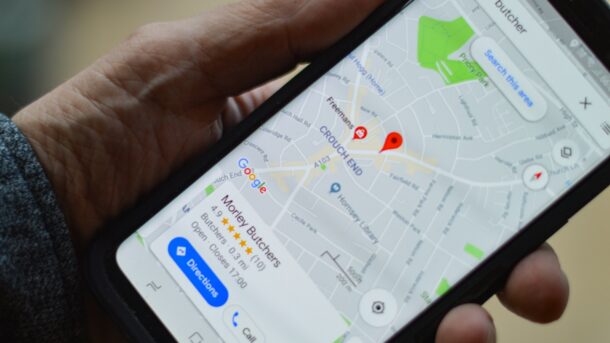
person holding black smartphone

Reviews reinforce relevance and prominence for local search. To maximize impact:

  • Use keywords naturally in your review replies.
  • Keep your business info (NAP) consistent across the web.
  • Feature review highlights on key landing pages.

Great service + steady verified reviews = durable visibility.